Accessible Learning with UDOIT
Choose the Format That Fits Your Learning Style
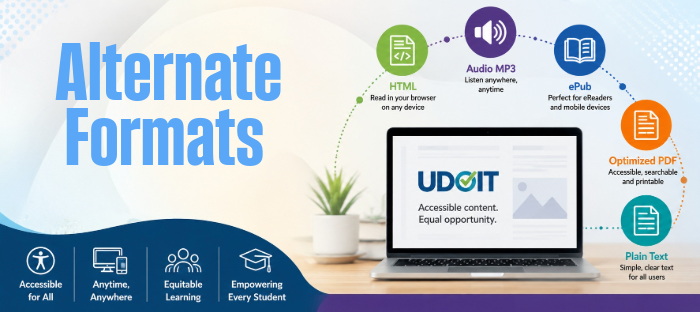
Canvas is designed to support diverse learning needs by making course materials available in multiple accessible formats through UDOIT Alternative Formats. Instead of relying on a single file type, students can choose the format that works best for the way they learn, study, or use assistive technology. With just a few clicks in Canvas, eligible course documents can be converted into alternative formats such as accessible HTML, Audio MP3, ePub, optimized PDF, and plain text. These options can improve readability, support screen readers and other assistive technologies, reduce barriers to accessing course content, and give students greater flexibility to learn anytime, anywhere, and on the device of their choice. By providing multiple ways to engage with the same course materials, Canvas and UDOIT help create a more inclusive learning experience that benefits all students—not only those with documented disabilities.
Enable Student Access to Generate Alternate Formats
Student Access is an optional feature of UDOIT Advantage, which will add a button with a drop-down menu displaying any existing alternate formats that have been generated with UDOIT.
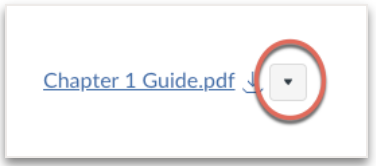
Alternative formats are available from the drop-down menu and to request additional alternate formats if desired. Once an alternate format has been generated by any user, it will be available through the drop-down menu for all students to use.
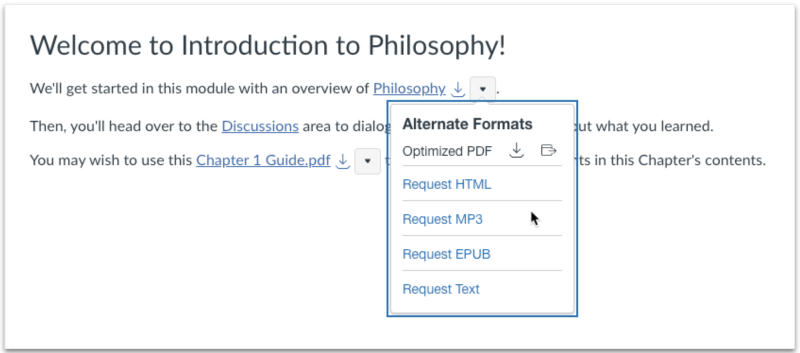
In Canvas with UDOIT, students will commonly see the following alternative formats. Rather than thinking of these as accommodations, think of them as learning options. Students can choose the format that best matches how and where they study. The alternative formats available for a file depend on the type and quality of the original document uploaded by your instructor. Some files may offer all formats, while others may offer only a subset.
Alternative Formats
- Optimized PDF: Creates a more accessible PDF that can be read by screen readers, searched, printed, and viewed on almost any device.
- HTML: Converts the document into a responsive web page that opens in any browser. Text automatically adjusts to different screen sizes and works well with screen readers and browser accessibility tools.
- ePub: Converts the document into an eBook format that works with many eReaders and reading apps. Readers can adjust font size, spacing, and layout for a personalized reading experience.
- Audio MP3: Reads the document aloud and creates an MP3 audio file that can be played on a computer or mobile device. If image descriptions are included in the original document, they are also read aloud.
- Plain Text: Converts the document into simple text without formatting. The file works with nearly all assistive technologies and can be easily reformatted.